‘Towards a European Perspective on Massive Open Online Courses’

Bert Kimura By Bert Kimura

The following is a brief description of “Special Issue: Towards a European Perspective on Massive Open Online Courses” (International Review of Research in Open and Distance Learning, 16.6, 2015):

We are pleased to bring you this special issue of IRRODL, edited by guest editors Markus Deimann and Sebastian Vogt. Deimann and Vogt have chosen a timely topic for scrutiny, that of a European perspective of the past, present, and future state of MOOCs. (Dianne Conrad, IRRODL co-editor)

IRRODL was started by Terry Anderson at Athabasca University (“Canada’s Open University”) and, in my opinion, is one of the better (or best) academic OER publications. Dr. Anderson is a leading researcher in distance learning and has been at it for about 30 years.

Here’s a peek at the table of contents:

Editorial
Editorial – Volume 16, Issue Number 6
Markus Deimann, Sebastian Vogt
Research Articles
Matthias Rohs, Mario Ganz
Robert Schuwer, Ines Gil Jaurena, Cengiz Hakan Aydin, Eamon Costello, Christian Dalsgaard, Mark Brown, Darco Jansen, Antonio Teixeira
Abram Anders
Marco Kalz, Karel Kreijns, Jaap Walhout, Jonatan Castaño-Munoz, Anna Espasa, Edmundo Tovar
Christian Dalsgaard, Klaus Thestrup
Mark Brown, Eamon Costello, Enda Donlon, Mairead Nic Giolla-Mhichil
Darco Jansen, Robert Schuwer, Antonio Teixeira, Cengiz Hakan Aydin
Anders Norberg, Åsa Händel, Per Ödling
Vitor Rocio, José Coelho, Sandra Caeiro, Paula Nicolau, António Teixeira
Marta Ruiz Costa-jussà, Lluis Formiga, Oriol Torrillas, Jordi Petit, José Adrián Rodríguez Fonollosa


Respondus and Sakai: The Answer to Online Quizzes

Jim ShimabukuroBy Jim Shimabukuro
Editor

You’ve been using a course management system (CMS) for your courses, and it doesn’t matter whether they’re completely online, completely onground, or somewhere in between. The CMS has some advantages, and you’re making use of them. If you’re like me, then you’ve also toyed with the idea of putting quizzes online.

It makes sense. It frees you from the drudgery and loss of class time associated with paper ‘n’ pencil tests. Students can take the quizzes on their own time, 24/7, as long as they complete them by a specified date. You can set it up for mastery learning so they can take it as many times as they need to before the deadline, with only the highest score being recorded.

Scoring is done automatically, instantly, and the scores are recorded in the gradebook automatically, too. Students can log in to check their scores. You can log in, too, to look at their scores. Sounds great – until you actually tried to set up a simple quiz and found the klutziest interface in the world. So you remained with paper ‘n’ pencil or did away with quizzes altogether and replaced them with discussion forums geared to readings.

But the problem of students refusing to complete required readings unless there’s a quiz attached to them persists. The top third of the class will do the readings, but the rest will wing it. It hurts their performance, but they can’t or won’t make the connection. For these students, reading is a means to avoid the pain of flunked tests, not a means to learn, to improve performance.

So I returned to the testing function built into our Sakai CMS. It’d been a few years since I last tried it. Maybe it’d gotten better. But after a few minutes of poking around in it, I found it was just as klunky as ever. After rooting around for a bit in our university’s IT help files looking for a miracle, I found something called Respondus.

Respondus is an app. Our university system provides it free to all faculty. Yours probably does, too. The IT help page provides a click-here trail that leads to the site, followed by a download and set up on your computer’s desktop. Click the new icon, and, voilà, your test and quiz creation woes are over.

Respondus is a relatively simple to use test development app. It allowed me to create a ten-question multiple-choice quiz quickly and, dare I say it, naturally. This is done outside the CMS — which at once explains the ease of use and highlights the shortcomings of CMS environments.

After you’re done, the next step is to get the test into the CMS so your students can take it. The process is logical. You need to convert the quiz into a format (QTI) that Sakai can understand. Respondus does this for you when you click on the button to “Preview & Publish.” It walks you through a few steps and creates a folder where you want it. I chose the desktop. In the folder is the quiz file in the required QTI format.  Continue reading

Michael Akuchie

Michael Akuchie
English Composition Instructor
Southern Illinois University Carbondale

Michael Akuchie is studying for an MFA in Creative Writing at Southern Illinois University Carbondale where he also teaches English Composition. He’s a huge fan of video games and won’t stop talking about them.

ETC Publications

Online Charter Schools Failing According to National Study

Jim ShimabukuroBy Jim Shimabukuro
Editor

According to a study released on 27 Oct. 2015, online charter schools are failing in comparisons with traditional and blended schools. The findings are reported in three separate volumes, which are available online as PDF files. The following are links to the introduction, with a brief summary, and the three volumes.

Introductory Press Release [with brief summary], 27 Oct. 2015

Volume I – Inside Online Charter Schools by Mathematica Policy Research [“Describes the universe of online charter schools, the students they serve, and their operations.”]
Brian Gill, Lucas Walsh, Claire Smither Wulsin, Holly Matulewicz, Veronica Severn, Eric Grau, Amanda Lee, Tess Kerwin
October 2015

Volume II- The Policy Framework for Online Charter Schools by the Center on Reinventing Public Education (CRPE) [“Describes the policy environments of online charter schools and provides recommendations to state policymakers.”]
Rosa Pazhouh, Robin Lake, and Larry Miller
October 2015

Volume III- Online Charter School Study by CREDO (Center for Research on Education Outcomes) at Stanford University [“Describes the achievement effects of online charter schools.”]
James L. Woodworth, Margaret E. Raymond, Kurt Chirbas, Maribel Gonzalez, Yohannes Negassi, Will Snow, Christine Van Donge
2015

TCC Worldwide Online Conference 2016 Apr 19-21 – Call for Proposals

Aloha everyone,

It’s that time of year again. Hope you are enjoying the start of fall (or spring).

Below is the first announcement of our call for proposals for TCC 2016.

The full description is available online at: http://tcchawaii.org/call-for-proposals-2016

Please share with colleagues, students and interested friends.

Warm regards,
Bert, Curtis & Sharon

DSCF0663R-TCC

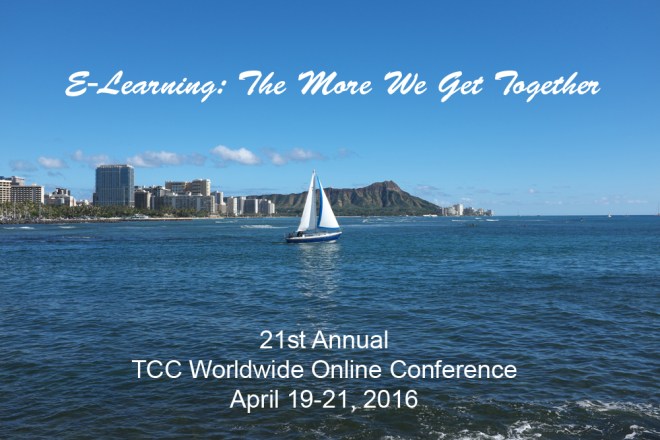
21st Annual

TCC WORLDWIDE ONLINE CONFERENCE

April 19-21, 2016
E-Learning: The More We Get Together

Submission deadline: December 15, 2015
Submission form: http://bit.ly/tcc2016-proposal

Homepage: tcchawaii.org

CALL FOR PROPOSALS
Please consider submitting a proposal for a paper or general session relating to all aspects of online learning, networking & collaboration, including but not limited to e-learning, open education, ICT, virtual communities, social media, augmented reality, educational gaming, faculty & student support, Web 2.0 tools, international education, mobile learning and professional development.

FULL DETAILS
http://tcchawaii.org/call-for-proposals-2016

SUBMISSIONS
http://bit.ly/tcc2016-proposal

VENUE
Participation in this conference is entirely online. All sessions will be delivered online in real-time. Sessions will also be recorded for later viewing.

MORE INFO
Bert Kimura <bert@hawaii.edu> or Curtis Ho <curtis@hawaii.edu>

TCC Hawaii, LearningTimes, and the Learning Design and Technology Department, College of Education, UH-Manoa, collaborate to produce this event. Numerous volunteer faculty and staff worldwide provide additional support.

To join our mailing list, see: http://tcchawaii.org/tccohana-l/

Who Are Your Tech-Sperts?

Lynn ZimmermannBy Lynn Zimmerman
Associate Editor
Editor, Teacher Education

With school starting back in many places, teachers are thinking about what they are going to do in the coming year and who their students will be. It is also a good time to think about how you and your students are going to use technology effectively in the classroom.

One question to consider is how you will identify the the “tech-sperts” in your classes. In many classes the real tech-sperts are the students. I don’t know if Kriscia Cabral (Digital Organization Tips and Tricks) coined this phrase, but it certainly fits, and these tech-sperts are a resource that teachers shouldn’t ignore. In Jim’s article, Zen and the Art of IT, he looks at some of the IT knowledge and skills that teachers need. However, Cabral thinks teachers should give over some of the responsibility to students.

First, recognizing that everyone has something to offer removes the burden from the teacher of having to know everything about technology, a field which can change from one day to the next. In her classes Cabral’s students help one another with devices, apps, websites, or whatever other types of technology they need assistance with. Utilizing students’ expertise has several advantages for the teacher and the students, and she asserts that the greater benefits are for the students.

Because different students are knowledgeable about different aspects of technology, everyone has a chance to be the tech-spert about something. This ability to help and support one another builds confidence in individual students as well as a collaborative environment among all students in the class.

What experiences have you had with using your students’ knowledge and expertise about technology as a classroom resource?

A Proposal for Change in Our Current Model for Higher Ed

Lynn ZimmermannBy Lynn Zimmerman
Associate Editor
Editor, Teacher Education

A couple days ago, I heard a report on BBC News at WUNC about the connection between higher education and the job market in the UK. A recent report showed that almost 60% of college graduates were not able to find jobs in their field or even at their level of education. Some analysts are saying a university education is worthless and a waste of money, so they are advocating a return to apprenticeships.

However, the speaker said that he thinks that university education needs to be better aligned with what’s going on in the workforce. He also asserted that the workforce needs to be more open-minded about the skills they are looking for. He used the example that if you are going to be a biochemist, you need to learn certain knowledge and skills. However, for other bio-tech jobs, many of the skills one learns in any STEM program can give the employee the necessary basic skill set, which they can then refine on the job.

When I worked at a high school here in the US, I was part of a workforce readiness initiative for high school students. A representative from the local phone company told us to send them applicants who can read and write and be on time and they can do the rest with their in-house training. At the time, I thought that was a little simplistic, and I still do, but there is some truth in what he says.

This story also made me think about technology and education as well as MOOCs, other educational delivery systems, and the cost of education. First, I want to make it clear that I think there is more to university education than “skills training.” I think the university is a place to expand our awareness, have the opportunity to explore issues, and learn to think, really think. However, I also believe that higher education needs to take a step back and re-think how it is educating.

One area that should be addressed is the current model of students taking two years of basic courses, English, math, science, etc., before they can start their major courses. If high schools are doing their job, students should have this basic knowledge before entering the university. If they don’t then, perhaps, these deficits can be addressed with online competency-based courses that students take along with their major courses.

There are several advantages to this idea. First, students learn the skills they need, but save time and money. Second, these courses can help teach mastery skills as they are developing or refining competencies, such as writing skills and critical thinking. Then in major courses, students can integrate these skills into their acquisition of abstract theory and concrete knowledge needed to develop what they need to find jobs and be successful in their chosen careers.

What are your thoughts about this issue? Have you experienced this type of model (blend of online competency-based basic courses and major courses) or another model that helps better prepare students for the 21st century workforce while assuring them a quality education?

How and Why We Use Technology in the Classroom

Lynn ZimmermannBy Lynn Zimmerman
Associate Editor
Editor, Teacher Education

With school getting ready to start back in many places, it seems like a good time to review how and why you use technology in the classroom. Educators in the 21st century work with technology in one form or another every day. Most are comfortable with some but not all types of technology.

Dian Schaffhauser, in THE Journal, reported on a national survey given to “teachers, administrators and tech leaders to tell us how technology energizes their classrooms.” Her article, “5 Essential Multimedia Skills Every Educator Must Master,” addresses the top five skills that were identified by educators. Besides “Troubleshooting Your Own Tech” and “Embracing Curiosity,” using videos and podcasts for the flipped classroom was one of the “instructional tools [that] could increase student interest and participation in class.”

Another skill that she focused on was knowing how to use the equipment in your classroom. She quotes Cameron Mount, an English instructor at Brookdale Community College (NJ): “Just about everything available in the room to use should be used. Variation in modes of instruction is not just a good idea; it’s practically compulsory in the day of the [individualized education program] and multimodal learning.”

The final skill addressed was how to use presentation software effectively. Although tools such as PowerPoint have been around a long time, many presenters still do not use them effectively. You have probably been victim to “death by PowerPoint” on various occasions. However, just transferring bad slides over to Prezi isn’t going to help.

Presentations need to be planned carefully, just as one would any other teaching tool and strategy. I confess, I was dismayed that effective presentations is still such an issue that this one made the top five. However, having sat through a presentation recently in which the presenter mumbled his way through the copious text on his slides, I shouldn’t have been surprised.

What about you? How do you use technology effectively? Where do you need to make some improvements?

Marie Mérouze

[Published 22 July 2017]

Marie Mérouze is the founder and CEO of Marbotic, an IoT startup focusing on the creating of connected devices for children. Marbotic has two flagship products: Smart Letters and Smart Numbers.

Marie has her Masters in Engineering from Ecole Centrale Paris, an engineering graduate institution. She worked at an E-Learning company for children for ten years before founding her own company.

Marie on Twitter: https://twitter.com/MarieMerouze
Marie on LinkedIn: https://fr.linkedin.com/in/mariemerouze

ETC Publications

3 Reasons Apps Foster Effective Learning

 Children Need More Than Apps in the Classroom

Language Is a Barrier to Digital Equality

Lynn ZimmermannBy Lynn Zimmerman
Associate Editor
Editor, Teacher Education

What language do you “speak” when you use the Internet? Why does it matter? In her article in The Guardian (online, of course), Holly Young explores “The Digital Language Divide: How Does the Language You Speak Shape Your Experience?1

Young points out that when the Internet first began, 80% of the content was in English. That figure has now dropped to 30%, and out of the 6,000 or so languages in existence, 10 of them make up 82% of all Internet content. These figures prompted her to ask some questions: Does the language you speak online matter? How is your Internet experience different if your first language is not one of those 10? How does language shape your access to information and your ability to communicate globally?

Young asserts that it definitely does make a difference. Just as language in day-to-day life can shape your connections with others and your common interests, the Internet does the same. People often communicate with those who speak the same language, sharing ideas and information that is common for their language group. Research has even shown that bilingual users behave differently on different platforms in their two different languages.

The author makes many other points about the inequality of information, who is represented, and how some groups are represented by others. She also looks at ways to bridge the divide and explores which languages will survive online.

Why should this issue be of interest to us as educators? Young tells us that “[i]n 2011 the UN declared access to the internet as a basic human right.” However, not everyone has equal access, whether due to inadequate infrastructure or the lack of linguistic diversity on the web. We should think about what we and our students are missing if our access is limited by language.

__________
1 N.d. WebCite alternative.

Gwen Sinclair

(Published 12 June 2018)
Gwen Sinclair
Librarian
Government Documents & Maps Department
University of Hawai‘i at Mānoa Library

She holds master’s degrees in Library Science and Geography from UHM and is an adjunct faculty member in the UHM Library and Information Science Program. Her publications reflect her interest in government documents and federal property in Hawai‘i.

ETCJ Publications
These Boots Are Made for Running
Not in Our Lifetime: Are Libraries Dead?

Whither the College Library?

Jim ShimabukuroBy Jim Shimabukuro
Editor

Updated 6/14/15
When was the last time you stepped into a college library? If you’re like most, that time is somewhere in the distant past, and this is true even if your work takes you or keeps you on campus. Just as the textbook was the portal to knowledge for a course, the library was once the portal to primary sources of information for all courses. That is, before the advent of smartphones, tablets, notebooks, and the internet.

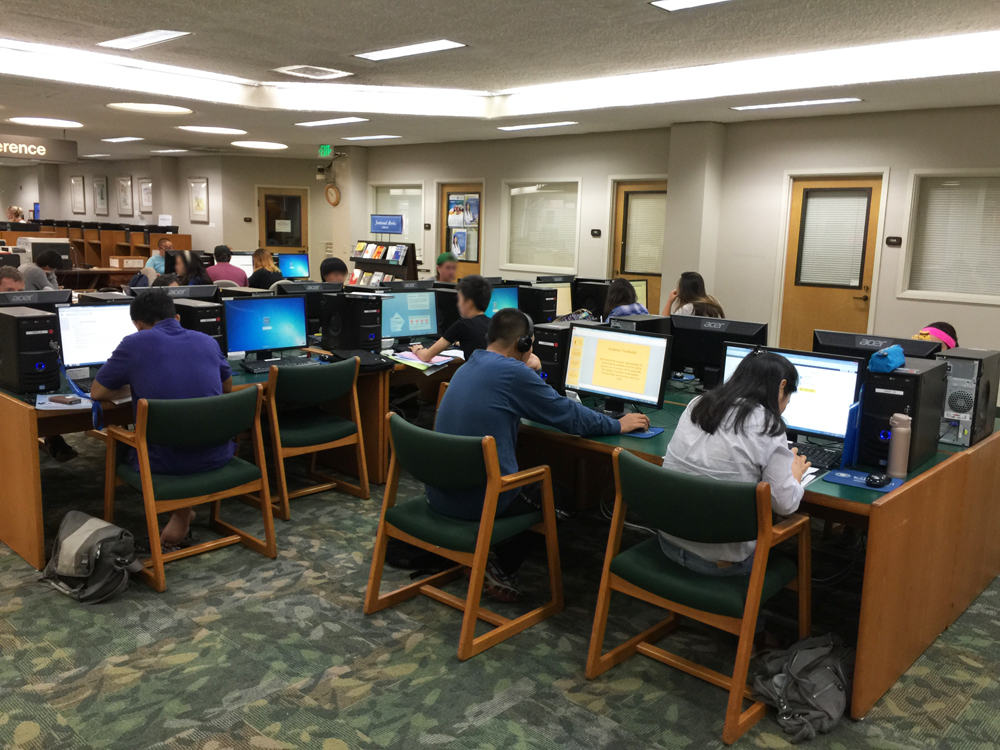
The first thing you notice when you enter is the absence of rows and rows of bookshelves. Instead, the space is filled with study carrels and tables.

The first thing you notice when you enter is the absence of rows and rows of bookshelves. Instead, the space is filled with computer workstations (above), study tables and carrels (see photos below).

Today, all the limitations that we attribute to a hardcopy textbook are reflected in the library. In a world of mobile anytime-anywhere communications and access to information, the library is looking more like a phone booth, a movie theater, a Blockbuster, or, more tellingly, a Borders. Just as the tiny businesses that sprouted along highways faded away when freeways bypassed them, the library is fast becoming a victim of the cyberway, the electronic equivalent of an extreme autobahn.

The library is a study center.

The library is a study center.

In essence, the smartphone that students carry in their pockets and bags has become the interactive portal to not just library information but to nearly all information. This fact alone probably says more about the future of libraries and, by extension, college campuses than all the articles and books ever written about the impact of technology on higher education.  Continue reading

Using GIS and GPS Technology as Teaching Tools?

Lynn ZimmermannBy Lynn Zimmerman
Associate Editor
Editor, Teacher Education

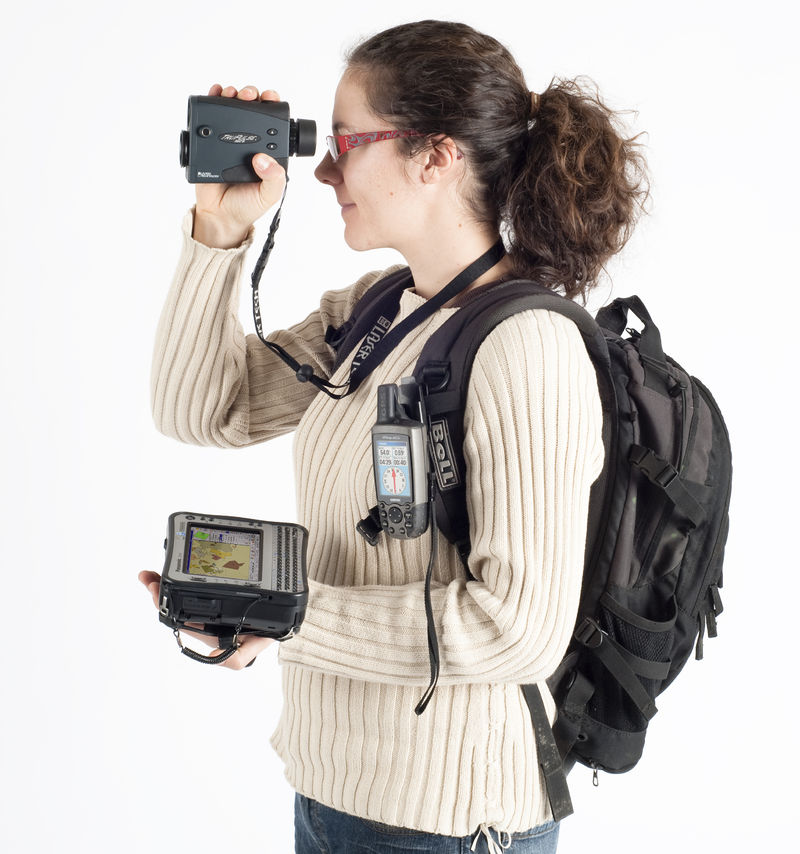
Recently, I was at an education conference in Croatia, and one of the presentations was about using geographic information systems (GIS) and global positioning systems (GPS) technology as teaching tools. The presenters proposed that this technology can be integrated in a variety of ways to create interdisciplinary lessons and projects that are technology-based. Students can learn with the GIS and GPS rather than just learn about it so that they can become producers of knowledge about the physical world around them and not just consumers of information.

One of the connections the presenters made was to the sport of orienteering to promote the development of map-reading skills and navigation. Even though orienteering is usually done low-tech with a compass and a map, higher levels of technology can create a different experience for participants.

“Field-Map birdie” by Claudiusmm – Own work. Licensed under Public Domain via Wikimedia Commons.

Of particular interest for me as a teacher of English as Foreign Language are the ways this type of technology can be used to create authentic (real-life) reading, writing, speaking and listening activities for students. The presenters made a specific point that students’ real life knowledge about nature gained with this technology can easily be represented through the medium of digital story telling, which itself integrates reading, writing, and speaking and uses critical thinking skills as students plan and develop their project.

If anyone has had experience with these types of projects, I’d like to hear about them. Post a comment to this article or email me at zimmerma@purduecal.edu

__________
A preliminary list of resources:
Alec Bodzin, GIS and GPS Links, Lehigh University, 2/12/15.
GIS in Education Resource Sheet,” Utah Rural Schools Association, n.d.
Jennifer Johnston, “Engineering Professor Shares Mapping Technology with Teachers,” MyVU, Vanderbilt University, 8/20/14.
Bianca Bowman, “Teacher Knowledge and Geospatial Technologies,” Conversations on Knowledge for Teaching 2015 Education Technologies: Now and in the Future, n.d.

Deus What?

picture of Harry KellerBy Harry Keller
Editor, Science Education

Yet another “robot” movie has appeared, and another Terminator movie is scheduled for release. It’s the robots who should be saying, “I’ll be back.”

Having already written on robots and artificial intelligence, writing about the latest opus, Ex Machina, may seem anticlimactic. This movie certainly has some excellent optics. Just four characters make up the speaking parts. One more is important to the plot, and only ten are listed in the credits. This is a small movie when measured by personalities on screen. The special effects that make Ava look mechanical are almost astounding and, along with the scenery and sets, make this a large movie.

The premise that a lone genius can create an artificial intelligence that passes muster as capable of human thought is an enoromus stretch. That he also can fit it all into a human framework that can walk bipedally and can perform other human-like actions is beyond imagining. You really must suspend disbelief to watch this movie and seek its philosophical underpinnings.

In the end, it’s the same old story that we’ve seen since Mary Shelly wrote Frankenstein. Man should not play god, and creating new life is extremely dangerous. The movie plays on the morality of choosing to be god and on people’s fears of the unknown, especially when created by a “mad scientist.”  Continue reading

Life Unplugged

Scott Miyahira 2 80By Scott Miyahira
Student at Kapi’olani Community College
University of Hawai’i

“You’re bringing those?”

My sister questioned me with some genuine curiosity and just a hint of nag, as I stuffed my iPad and my portable Nintendo gaming system into my carry-on luggage. Despite the fact that she was the younger sibling by four years, she had a way of occasionally borrowing the maternal tone of our mother.

“Yea, why?” I replied with just a tinge of annoyance.

“When are you going to use it?”

“I don’t know. We might have some down time. You’re not bringing yours?”

“No…,” she answered, this time adopting that same annoyance.

I guess I could see her point; we were only going to be in Hilo for two days. But this was my vacation. I came back home to Maui for a temporary get away from my life on Oahu, a life of two full-time jobs and only just enough free time to eat and sleep, sometimes not even that. I spent so much of my normal day-to-day always doing something that, for my vacation, all I wanted to do was nothing — nothing except lie around, watch Netflix, and play video games, which was usually most of what I did on my vacations at home. So if my Maui vacation was to be interrupted by a short family trip to the Big Island, I was bringing my entertainment with me. Much to my surprise, this “short family trip” would reveal to me my own dependence on technology and give me a new-found appreciation for a life unplugged.

A simple cottage smaller than I was expecting, painted in a classic white with stone walls around the base, long glass windows across the front, and an unassuming but prominent tower poking out from the back.

A simple cottage smaller than I was expecting, painted in a classic white with stone walls around the base, long glass windows across the front, and an unassuming but prominent tower poking out from the back.

My mom had been bugging me about this trip for a while. “Aunty Terry hasn’t seen you since you were little. You just absolutely have to see their place, and they’re getting old so you won’t have many more opportunities to do so,” she would say.  Continue reading

Stuck in Macadamia Nut Hell

Cami Lyn Nagata 80By Cami Lyn Nagata
Student at Kapi’olani Community College
University of Hawai’i

I wondered why I was the only one that wanted to go to the farm with grandpa. All of my older cousins came up with reasons why they couldn’t go with us. Even Mom didn’t want to come. I should have caught the hint when I had the chance, but I was only eight, too young to realize that going to the macadamia nut farm was not going to be carefree fun. I didn’t know it then, but I was about to learn that hard work pays off.

The road was bumpy. I bounced in the seat, the belt digging into my neck each time. The smell of the sweat stained seats stung my nose as the wind whipped around the cabin of the truck. The engine moaned as we slowly climbed the twisting dirt road. Grandpa drove, eyes focused on the road, a mischievous smirk planted on his face. I could see the trees. We were getting close.

We pulled off the road and stopped at the metal gate. Grandpa put the truck in park, then quickly climbed out and unlocked the gate. With a strong push, the gate swung open to let us through. He got back in, and we drove up the path, passing a number of trees.  Continue reading

Serve the Nation as a Presidential Innovation Fellow

PIF logo

Calling All Innovators: Apply to Serve the Nation as a Presidential Innovation Fellow
by Ryan Panchadsaram, Garren Givens on February 12, 2015 at 11:00 AM EST

Today, we are very excited to announce that we are on the lookout for more innovators and technologists to serve the nation as Presidential Innovation Fellows.

The Fellowship brings talented, diverse individuals from outside government to team up with top federal innovators to tackle some of our country’s most pressing challenges. Acting as a small team alongside federal agency “co-founders,” Fellows will work quickly and iteratively to turn promising ideas into game-changing solutions.

As always, the Fellows will focus on national priorities, leveraging the best principles and practices of the innovation economy to help create positive impact in the span of months, not years. This is an opportunity to truly transform how government works for the people it serves.

Projects will focus on topics such as:

  • Education: Fellows will work with myriad agencies to help make education more accessible to more Americans.
  • Jobs and the economy: Fellows will work on fueling the economy and stimulating job growth through innovation and improved opportunities for entrepreneurs and businesses of all sizes.
  • Climate change: Fellows will help our country and its communities prepare for the impacts of climate change.
  • Health and patient care: Fellows will leverage innovation to save lives, provide better access to benefits and programs promoting quality of life.

Fellows selected for this highly competitive program will serve for 12 months as entrepreneurs-in-residence to our federal agencies. Over the course of the Fellowship, individuals work as part of a small team of three to four. These teams of designers, developers, and product managers will participate in two to three “deep dives,” with the goal of “accelerating” initiatives chosen by the Program for their potential impact.

The first step is to apply online. Candidates can apply anytime, throughout the year, and applications will be evaluated on a rolling basis.

We look forward to kicking off another exciting year of projects.

Ryan Panchadsaram is the U.S. Deputy Chief Technology Officer. Garren Givens is Director of the Presidential Innovation Fellows and Deputy Executive Director of 18F.

The Imitation Game: A Cautionary Tale

picture of Harry KellerBy Harry Keller
Editor, Science Education

With The Imitation Game having academy award nominations, it’s a good movie to consider for science learning. Benedict Cumberbatch and Keira Knightly star in this story of Alan Turing. Turing is famous in computer science for the Turing Machine and the Turing Test. The latter was named by him as “the imitation game.”

A Turing Machine is a concept created by Turing that says that anything computable can be computed by a ridiculously simple machine consisting of a tape of indefinite length that contains only ones and zeroes and a reader that decides what to do upon reading the tape — to move forward or backward and how much. This decision depends on the state of the machine and the number read on the tape. Turing’s machine can, in theory, perform any computation being done today by any computer. You can say that Turing invented the modern computer — in theory anyway.

Alan Mathison Turing at the time of his election to a Fellowship of the Royal Society. Photograph was taken at the Elliott & Fry studio on 29 March 1951.

Alan Mathison Turing at the time of his election to a Fellowship of the Royal Society. Photograph was taken at the Elliott & Fry studio on 29 March 1951.

As Alan Turing sat and thought about computers, he asked himself what is the potential of computing machines in the indefinite future. He decided that it’s possible for a machine, in theory, to mimic human behavior. He then asked how can you tell if the machine truly is behaving as a human. In those days, all communication with machines was by writing or, worse, by looking at lights or blips on a CRT. His test involved writing to a machine and receiving written replies. If, no matter how much you wrote and read, you could not tell whether the replies were coming from a human or a machine, then the machine passed the test, “the imitation game,” and should be considered for all intents and purposes as human.  Continue reading

‘Free the Nipple’ – on 12 Dec. 2014

Sundance SelectsPresents

FREE THE NIPPLE

The film that inspired the empowering real-life movement supported by celebrities such as Miley Cyrus, Lena Dunham,
Russell Simmons, Rihanna, Cara Delevingne and many more!

#FREETHENIPPLE

Starring Lina Esco (LOL), Lola Kirke (Gone Girl),
Monique Coleman (High School Musical) and Zach Grenier (“The Good Wife”)

Free the NippleDirected by Lina Esco

SUNDANCE SELECTS WILL RELEASE FREE THE NIPPLE ON
DECEMBER 12, 2014, THEATRICALLY AND ON VOD.

WHAT IS FREE THE NIPPLE: Today, in the USA it is ILLEGAL for a woman to be topless in 37 of the United States of America in some states that includes breastfeeding. In less tolerant places like Louisiana, a woman exposing her nipples can carry a sentence of up to three years in jail and a $2,500 fine. In New York City, in 1992 it became LEGAL for women to be topless in public, but the NYPD continued to arrest women, so we took to the streets with cameras and our cast to fight these Puritanical injustices first hand. By the end the production, Free The Nipple morphed into a “real life” revolution that transcended the bounds of mere entertainment. Famous graffiti artists, mobs of dedicated women, and celebrities from Miley Cyrus to Liv Tyler and Lena Dunham jumped on board and ignited a national media blitz that has transformed into a powerful movement to Free The Nipple in America. Other celebrity supporters include Cara Delevingne, Shepard Fairey, Kendall Jenner, Adrian Grenier, Rihanna, Elizabeth Jagger, Scout Willis, Rumer Willis, Soko, Suki Waterhouse, Kellan Lutz, Dree Hemingway, Russell Simmons.

ABOUT THE FILM: A group of fearless women fight for their right to go topless in public, as they smash societal taboos one bare breast at a time. Based on a true story, this spirited satire follows New York City activists Liv and With, who take their crusade for gender equality from the streets of the urban jungle to the courts. More than just a movie,Free the Nipple has launched an empowering real-life movement, inspiring women across the globe to take back their bodies.

Director: Lina Esco
Writer: Hunter Richards
Producers: Lina Esco, Hunter Richards, Lisa Azuelos, Julien Madon
Co-Producer: Gigi Graff
For more information please visit http://www.freethenipple.com

All Rise! – Ergonomics and Back Pain

Lynn ZimmermannBy Lynn Zimmerman
Associate Editor
Editor, Teacher Education

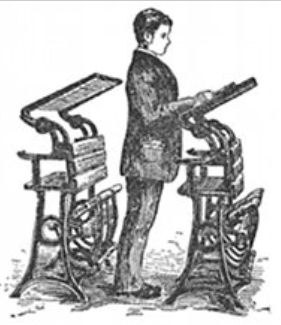
A few years ago I went to the Rutherford B. Hayes House in Fremont, OH. (In case you are wondering why, I had a friend who worked there at the time.) One of the things that struck me was his standing desk. When I first saw it, I assumed it was a podium for lecturing, but my friend informed me that, no, it was the desk where he often worked. Other than Thomas Wolfe (of Look Homeward Angel fame), who apparently wrote standing at his refrigerator, I had never heard of anyone standing and writing or doing other paperwork. I decided it must just be easier for tall people somehow and did not give it another thought.

Illustration from Brett and Kate McKay's "Become a Stand-Up Guy: The History, Benefits, and Use of Standing Desks," Art of Manliness, 5 July 2011.

Illustration from Brett and Kate McKay’s “Become a Stand-Up Guy: The History, Benefits, and Use of Standing Desks,” Art of Manliness, 5 July 2011.

Then, a couple of years ago I started having back and neck problems. I spend many hours, like many modern people, sitting in front of a computer for hours on end. After several doctor visits, I started changing the way I worked. The doctor gave me a website that would show me how to properly (ergonomically1) adjust my workspace. She also recommended a timer for my computer that covers your screen for a few minutes every so often. I did not do that, but I did start taking more frequent breaks. I mentally break my work into segments depending on what I am doing. When I reach the bottom of a page, I take a break. When I have completed five PowerPoint slides, I take a break. After I have graded so many pages, I take a break. Sometimes, I’ll just stand up and sit down, but I try to get up and at least walk into another room.

The doctor also showed me some folding shelves that you can mount on the wall at the appropriate height for standing and working on your computer. I didn’t buy one, but I did set up my iPad on a chest high bookshelf. Then, rather than checking my email while I was sitting and working on my laptop, I started checking my email on the iPad so that I would have to stand up and walk over to it and stand as I read and responded to emails.

I still have problems with my neck and hips, but there is a definite improvement. When I am in a situation, such as a hotel room, where I cannot set up my equipment as ergonomically, I can definitely feel a difference. Then I have to be conscious of taking those stand up breaks.

The reason this topic came up is that I ran across an article, “How Standing Desks Can Help Students Focus in the Classroom,” by Holly Korbey at MindShift.

I learned that many famous people, including Ernest Hemingway, Thomas Jefferson, and Charles Dickens, used standing desks. Korbey focuses on a study done by Mark Benden, Associate Professor of Environmental and Occupational Health at Texas A&M Health Science Center. He and his team believe that too much sitting contributes to a variety of problems that children have in school, as well as to obesity. They found that elementary students who stand up more to work burned more calories and were more engaged in learning when they could stand and move around. As an educator, this makes sense to me. Children need to move and twitch and fidget. And, maybe, adults do, too.

__________
1 For more on ergonomics, see “Ergonomic Workstation Guidelines,” North Carolina State University.

What’s This Song Called? – SoundHound App Review

Scott Miyahira 80By Scott Miyahira
Student at Kapi’olani Community College
University of Hawai’i

We’ve all been there. You’re shopping in the grocery store, sitting in your car, or watching television at home, and a catchy tune floats into your ear. You listen intently and maybe even bob your head to the beat. You’re really getting into this song you’re hearing for the first time, but before you know it, it’s over, and you have no idea what you just heard. Like a sappy romance film cliché, you’ve fallen in love and don’t know if you’ll ever meet again. You ask your friends, but no one seems to know either. You didn’t even get a name…

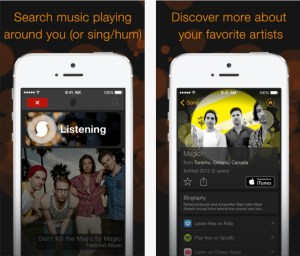
All melodrama aside, those days are over thanks to SoundHound. For any music lover on the go, it is the best mobile music identification software available.

SoundHoundSoundHound is a free mobile application, universally compatible with iOS, Android, Blackberry, and Windows devices. When you want to know the title, artist, or lyrics of a song, all it takes is a tap on the screen of the SoundHound app and it will identify it for you in as little as three to ten seconds. I am an avid music listener and collector with nearly four thousand tracks on my iPhone alone, and I am constantly looking to add to my collection. However, keeping up with ever-changing music trends and artists can be extremely difficult. SoundHound allows me to quickly identify new songs I hear and like or songs I recognize but can’t identify, thus enabling me to look them up and potentially add them to my ever-expanding library. I must shamefully admit that, for these reasons, SoundHound has become one of the most frequently used apps on my phone, beating out productivity and informational apps.  Continue reading

Rarely Do I Download an App and Keep It, but When I Do — It’s a Keeper!

John Palmer F2014 80By John Palmer
Student at Kapi’olani Community College
University of Hawai’i

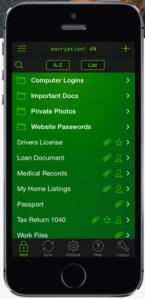
Living in today’s high-tech world, it’s almost a silly question. Have you ever forgotten the password to your FaceBook login, eBay log-in, WordPress page or your “other” email account? Of course you have. Everyone has, myself included! But what if there was an app, and all you needed to do was remember one password, and it, in turn, would be the key to getting into every other app, website or even bank account you use? Keeper is an app for saving passwords that is a time-saver and highly useful.

KeeperRarely do I download an app or software that I cannot live without, but Keeper is such an application. Why? Keeper remembers everything so I don’t have to. I have used it for many years to remember (and protect) passwords to my bank account, log-ins to websites, even to pay my electric and phone bills. You can completely eliminate the risk of your cookie data being robbed when using it on your PC or MAC since it stores data like a database, as opposed to a web page, which leaves your information open to bots that comb and steal cookie data, making you, that’s right, say it with me people — vulnerable. In fact, the cross-platform compatibility is so great that it works on iPhone, iPod Touch, iPad, even your Kindle or Nook.

The browser version works on Safari, Internet Explorer, Chrome, and Firefox. It also uses world-class encryption technology so you never have to worry about all of your private information being hacked. I’m going to go out on a limb here and predict that if you aren’t already using this great app, next to your social media, email, and phone (and notwithstanding Flappy Bird, but that’s another story), you will without a doubt find yourself using this app often.  Continue reading

U.S.-Russian Collaboration

VicSutton80By Vic Sutton

At a time when relations between the United States and Russia are cooling – if not cold – an innovative programme of the Eurasia Foundation continues to promote exchanges of professionals from both countries.

The ‘U.S.-Russia Social Expertise Exchange’ (SEE for short) was set up to promote co-operation between civil society leaders from the two countries.

Twelve working groups bring together experts in programme areas that include, for example, child protection, collaborative journalism, gender equity, and ‘rule of law and the community’.

Bonnie Bracey Sutton

Bonnie Bracey Sutton

My wife, Bonnie Bracey Sutton, is a member of the SEE working group on ‘Education and Youth’, and I had the chance to accompany her to its last meeting, held on 10-11 October in Washington, DC.

The working group hopes to hold a research seminar in March 2015, to appoint two senior and two junior fellows from each country who will take part in exchanges through February and March 2015, and to organize a ‘Cyberfair’ to showcase its projects, perhaps in November next year.

Bonnie had a fellowship from the Eurasia Foundation, which took her to Saint Petersburg and Samara last February, and I paid my own way to travel with her.

Our greatest surprise was to discover that Russia, despite its leadership in areas like space technology, is a poor country. People take home USD 250-300 a month. Of course, prices are lower than in the U.S, so that is not so terrible in terms of purchasing power.

But we never before visited a country where just about everyone with whom we had a serious conversation wanted to know our home address (if you want to get a visa to visit the U.S. you have to supply a U.S. address).

The U.S. Government has said that despite poor political relationships, social and cultural exchanges between the two countries will continue to be funded. We hope so, and we will see what modest support we can provide to contribute to them.

Blood Red Moon Over Honolulu – 8 Oct. 2014 at 1:28am

Jim ShimabukuroBy Jim Shimabukuro
Editor

I stayed up past 1:30 this morning to get this shot of the blood red moon over Honolulu. The light from the moon, once eclipsed, was very poor. Most of my earlier shots were turning out completely black with no images. I started at 1/200 sec. and worked all the way down the click stops to 1/3 sec. before I was finally able to get a halfway decent image. I had the aperture open all the way to f5.6 the whole time as I walked the shutter speed down.

Blood red moon taken in Honolulu on 10/8/14 at 1:28am. Nikon D5100, f5.6, 1/3 sec., ISO 250, 300mm.

Blood red moon over Honolulu on 10/8/14 at 1:28am. Nikon D5100, f5.6, 1/3 sec., ISO 250, 300mm.

I was using a 300mm zoom, too, so the slow shutter was a problem. I tried to steady the camera by lying back in a beach chair on the south balcony and shooting almost straight up, in the narrow bit of sky between the overhang from the apartment above and the railing. The lens has built-in IS (image stabilization), but most of the photos still ended up with visible blurring around the edges. Anyway, I didn’t futz with the colors in Photoshop. This is the actual red of the moon. However, I did brighten the image a bit to bring out more detail.

Disney and XPRIZE Unite to Encourage Students to Think Science

picture of Harry KellerBy Harry Keller
Editor, Science Education

While this is an unabashed promotion of the upcoming Disney animated feature Big Hero 6, it also is a real XPRIZE for young people. The prize is not millions of dollars but is still really cool.

Six winning students will travel to Los Angeles, walk the red carpet at the film’s premier, go behind the scenes to meet the creative minds at Walt Disney Animation Studios and Walt Disney Imagineering, and join a special “Visioneering” session at XPRIZE headquarters.

big hero 6

Students will enter in either the Junior Division (8-12 years of age) or the Senior Division (13-17 years). They will present their solutions to the world’s biggest challenges. The precise statement is “What one problem would you tackle to change the world? How would you do it? Tell us in a video!” XPRIZE judges will review the submissions and choose twenty finalists. Then, the public and a panel of expert judges will vote to determine the six winners.

Registration opens on Friday, September 19. Have your students put on their thinking caps. You do not have to go to the movie (unless you win). Entry is free. Just create a one-to-three minute video showing how you will use any combination of STEAM (science, technology, engineering, arts, and math) to solve one of the world’s problems. Be creative in defining the problem, in finding a potential solution to the problem, and in presenting your proposed solution.

Clearly, Disney does not require introduction. The XPRIZE Foundation is a matchmaker of sorts. It identifies highly leveraged situations that innovation can solve and that can change the world for the better. It finds sponsors for the challenges it creates around these problems that are not being addressed otherwise for a variety of reasons. Anyone, anywhere can enter. But beware! These are never easy challenges.

See my previous article for more on the XPRIZE Foundation.

I hope that this challenge introduces thousands of young people to the joys of discovery (science) and creation (engineering) while using technology and arts to show that they have great ideas.

I also hope to follow up with an in-depth discussion with the Walt Disney Animation Studios Chief Technology Officer, Andy Hendrickson in the next few weeks.