





By Jim Shimabukuro (assisted by ChatGPT)
Editor
Summary: NPUs (neural processing units) mark the moment PCs become AI‑native machines — a shift that will quietly redefine everyday computing. -Copilot

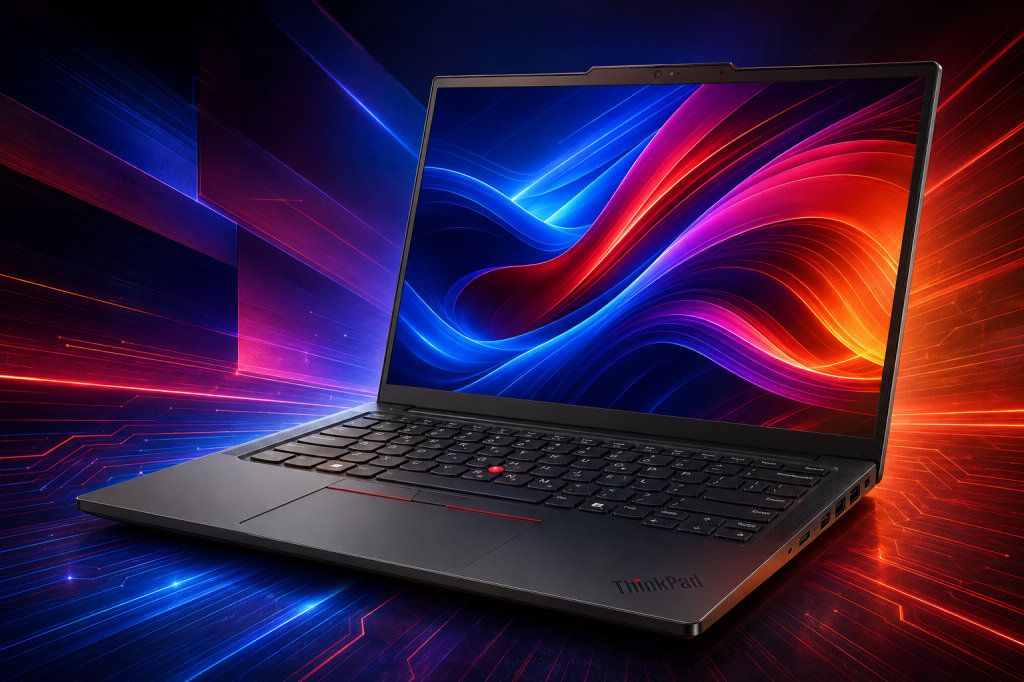
The phrase appearing in Fourth of July laptop advertisements is no longer merely “fast processor.” It is “Copilot+ PC,” a designation tied to a neural processing unit, or NPU. The price floor is also moving. On July 3, Best Buy listed an HP OmniBook 3 with a Snapdragon X processor, 16GB of memory, and a 512GB SSD at $549.99, down from $949.99. Its page showed a 4.7 customer rating from 119 reviews. (1)
The same sale included HP’s OmniBook X Flip, a 14-inch Intel Core Ultra 5 226V convertible with 16GB of memory and a 512GB SSD, at $649.99, down from $999.99; the listing carried a 4.7 rating from more than 1,000 reviews. Acer’s Swift Go 16 AI, with an Intel Core Ultra 7 355, 32GB of memory, and a 1TB SSD, was listed at $899.99, down from $1,549.99. These are retailer snapshots rather than promises of lasting prices, but they establish the point: NPU-capable Windows machines have crossed from premium novelty into ordinary comparison-shopping territory. (2,3)
Microsoft’s own Surface line has helped make the category recognizable. A contemporaneous Fourth of July report identified a 13-inch Surface Laptop with Snapdragon X Plus, 16GB of memory, and a 256GB SSD at $949 at Best Buy. That configuration is attractive for a traveler or student; its small drive, however, also illustrates why a sale label should never substitute for a close look at the rest of the machine. (4)
The answer to the larger question is qualified but clear. AI and the personal computer are fusing at the hardware level. That does not mean that every computer task will become an AI task, or that a local NPU will replace the cloud systems behind ChatGPT, Claude, Gemini, or other online services. It means that the standard computer is acquiring a third specialist beside the CPU and GPU, and operating systems and applications are beginning to put that specialist to work in ordinary moments: a video call, a photo edit, a search for a forgotten document, live captions, a translation, or a small local assistant.
| THE PRACTICAL VERDICT: For a shopper replacing a computer in 2026, an NPU should now be a meaningful buying criterion, not a novelty. It will not turn every web-based AI service into a local one, and it does not excuse weak memory, storage, display, keyboard, or software compatibility. But a Copilot+ class machine is the soundest way to buy a Windows laptop with several years of increasingly local AI use in mind. |
What an NPU actually does
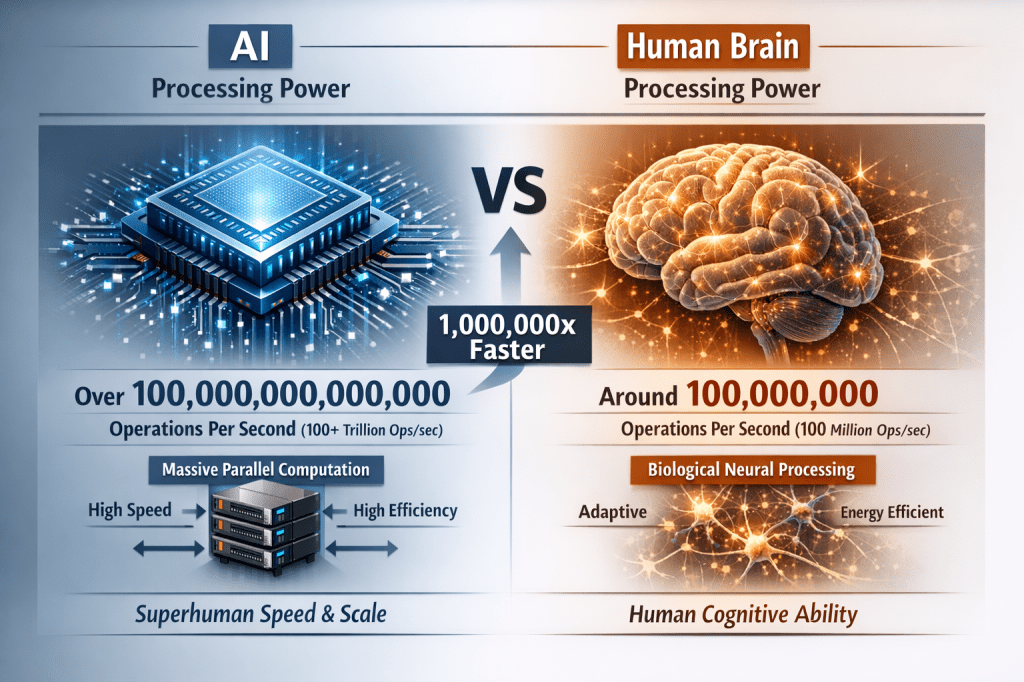
A neural processing unit is a dedicated accelerator for the mathematical operations behind machine-learning inference. Microsoft’s 2026 buying guide defines a Copilot+ PC as a Windows 11 computer with an NPU capable of at least 40 TOPS, or trillion operations per second, along with at least 16GB of RAM, 256GB of storage, and a current Windows 11 release. That threshold matters because it separates a computer that can run some AI-enhanced software from one that qualifies for Microsoft’s more ambitious on-device experiences. (5)
The easiest way to understand the hardware is as a three-engine vehicle. The CPU remains the general-purpose decision-maker, responsive at short, irregular tasks. The GPU remains the high-throughput workhorse for rendering, games, video, and large parallel AI jobs. The NPU is tuned for sustained, comparatively energy-efficient AI inference. Windows can distribute work among them, rather than trying to force every model through the CPU or consuming the battery with the GPU. (6)
This is why an NPU should not be treated as a miniature replacement for a powerful graphics card. A 40- to 80-TOPS NPU is well suited to a compact, always-available model doing recognition, enhancement, transcription, or a local language task. A large local model, demanding image-generation workflow, or serious gaming and video-production task may still depend heavily on the GPU, system memory, storage speed, and cooling. TOPS is a useful threshold and a rough capacity signal, but it is not a universal scorecard for all AI work.
What changes for an everyday user now
The current value of an NPU is less dramatic than the advertising sometimes suggests, but more practical. Microsoft lists Copilot+ experiences such as Recall, Click to Do, improved Windows Search, Live Captions, Cocreator in Paint, image restyling and generation, Windows Studio Effects, and super-resolution features. Some AI conveniences exist on ordinary Windows 11 PCs, but Microsoft says advanced functions such as Live Captions, the full Windows Studio Effects experience, and certain other features are exclusive to Copilot+ hardware. (7)
For a writer, teacher, researcher, or family historian, the quietly consequential feature may be semantic search: finding a file by describing its subject rather than remembering its name. For someone who lives in video calls, the payoff may be background blur, framing, eye contact, voice isolation, and lighting adjustments that do not commandeer the whole machine. For accessibility, live captions and related language tools can become part of daily use instead of an occasional web service. These are not science-fiction breakthroughs. They are the kind of conveniences that become hard to give up once they work reliably.
Recall deserves special treatment because it is both useful and sensitive. Microsoft says Recall’s snapshots are processed and stored locally, are not sent to Microsoft, and do not require an internet or cloud connection for saving and analysis. That is a privacy advantage over a cloud workflow, but it does not eliminate the need for judgment. A searchable record of what has appeared on one’s screen is consequential data. A buyer should understand the feature, its settings, encryption, and exclusions before making it part of a personal routine. (8)
The more important long-term change is that these capabilities are no longer frozen at the day of purchase. Microsoft has begun servicing Copilot+ AI components separately through Windows Update. Its AI-update history shows component releases for AMD-, Intel-, and Qualcomm-powered Copilot+ systems as recently as June 23, 2026. In other words, an NPU machine is increasingly a platform on which local models and features can improve after the laptop reaches the home. (9)
The developer side is moving in the same direction. In June, Microsoft described Foundry Local as a way for applications to ship optimized models that run entirely on the user’s device, with automatic hardware acceleration and no per-token cloud cost. The immediate audience is software makers, but the consumer implication is straightforward: the most durable reason to own an NPU is not any one Windows feature in 2026. It is the growing likelihood that future programs will assume a local AI engine is present. (10)
The 2026 NPU landscape: four serious paths
Qualcomm’s Snapdragon X2 Elite line represents the most aggressive push toward a battery-conscious Windows-on-Arm laptop. Qualcomm says its X2 Elite platforms provide an NPU of up to 80 TOPS and pair it with up to an 18-core Oryon CPU. For a buyer whose work is dominated by browser tabs, Microsoft 365, writing, streaming, travel, video calls, and cloud services, the attraction is the prospect of strong AI capacity in thin, quiet designs. The question is not whether the NPU is capable. The question is whether every essential application and peripheral in the buyer’s own life is ready for Arm. (11)
AMD’s Ryzen AI 400 family, announced at CES in January 2026, brings up to 60 NPU TOPS to consumer and commercial PCs. AMD has also extended the idea beyond thin laptops with Ryzen AI Max systems and desktop-capable Ryzen AI 400 options. That breadth makes AMD especially interesting for people who want a conventional Windows ecosystem, strong integrated graphics, and a future path toward local creative or AI development work without abandoning the familiar x86 software base. (12)
Intel’s Core Ultra Series 3 is the 2026 answer for buyers who want broad Windows compatibility while still moving beyond the first generation of AI-PC hardware. Intel says top mobile Series 3 models reach 50 NPU TOPS, with up to 16 CPU cores and up to 12 Xe graphics cores. This is a balanced route for the user who wants a standard Windows laptop that will also benefit from the local-AI features becoming part of the operating system. (13)
Apple has been living with this architecture longer than most PC shoppers realize, although it calls the specialized hardware the Neural Engine rather than an NPU. The March 2026 MacBook Air with M5 pairs a 16-core Neural Engine with Neural Accelerators in the GPU; Apple positions it for Apple Intelligence and on-device language models as well as the ordinary tasks for which MacBook Air is known. A Mac buyer should evaluate the whole Apple ecosystem rather than attempt a literal TOPS comparison with a Windows laptop. The common direction, however, is unmistakable: the AI accelerator is now a standard part of the system-on-chip. (14)
What the Fourth of July deals reveal about real buying choices
The $549.99 HP OmniBook 3 is the entry point for a shopper who wants the Copilot+ class without treating the purchase as a professional workstation. Its 16GB/512GB configuration meets the current Copilot+ baseline, and its Snapdragon X platform should appeal to someone who wants a light, simple, battery-minded laptop. Before buying, that person should make a short list of indispensable printer, scanner, camera, VPN, security, and specialty-software needs and verify them. (1,5)
The $649.99 HP OmniBook X Flip is the more conservative recommendation for a Windows user with a miscellaneous collection of older applications and peripherals. Its Intel Core Ultra platform keeps the buyer in the familiar x86 world while still carrying the Copilot+ label. The convertible form factor may also make it a better fit for annotation, casual drawing, reading, and presentations than a conventional clamshell. Its large volume of customer reviews does not prove excellence, but it does suggest that the model has reached more buyers than a typical early-adopter machine. (2)
The Acer Swift Go 16 AI is the more substantial value in the group for someone who expects to keep the machine several years and routinely has many files, browser tabs, photographs, or applications open. The jump to 32GB of memory and a 1TB SSD matters at least as much as the NPU. An AI-capable computer with inadequate memory will still feel constrained when several ordinary programs compete for space. For the writer, researcher, creator, or family archivist who expects a laptop to become a long-term working library, this configuration is more persuasive than a cheaper NPU badge attached to 16GB and a small drive. (3)
At the high end, the category breaks into two paths. A thin premium laptop aims for battery life, quiet operation, and everyday local AI. A performance-oriented machine aims to combine NPU capability with abundant memory and graphics power. Best Buy’s ASUS ROG Flow Z13 listing, for example, paired AMD’s Ryzen AI Max+ 395 with 64GB of RAM and a 1TB SSD at $2,799. That is not a general-audience bargain, but it shows why “AI PC” now covers both a $549 mainstream notebook and a compact machine intended for more demanding gaming, creation, and local-model experimentation. (15)
Who should buy an NPU machine now, and who should wait
Buy now when a replacement is already due. A Windows buyer whose present computer is four or five years old, has limited memory, is nearing the end of Windows support, or struggles with video calls and multitasking should not postpone a needed purchase in hopes that an entirely different category will arrive next year. In 2026, the Copilot+ requirement gives a clear floor: 40+ NPU TOPS, 16GB RAM, and 256GB storage. In practical shopping, 16GB should be considered a floor, not an aspiration; 32GB and a 1TB SSD are worth paying for when the budget permits. (5)
Buy now, too, when privacy, responsiveness, or intermittent connectivity matter. An NPU cannot make every AI service local, but it can make a growing class of transcription, search, image, captioning, and assistance features operate close to the data. Foundry Local makes the direction explicit: applications can keep text, audio, and image data on the device, work without a network, and avoid per-token cloud costs. That may matter to a journalist, teacher, small-business owner, researcher, traveler, or anyone who would rather not send every draft and recording to a remote service. (10)
Wait when the current computer is otherwise excellent and almost all AI use happens in a browser. A subscription to a cloud assistant does not become faster or more capable merely because the laptop has an NPU; the central model still runs in the provider’s data center. Wait, also, when the buyer’s priority is high-end gaming, heavy professional video work, 3D design, or running large models locally. In those cases, a discrete GPU, plentiful system memory, cooling, and display quality can matter more than NPU TOPS. An NPU should be part of the decision, not a reason to overlook the rest of the computer.
The important caveat: Arm is better, not identical
The Snapdragon route deserves special attention because it offers an appealing picture of personal computing: slim hardware, long battery life, always-ready local AI, and silent operation. Windows 11 on Arm can emulate x86 and x64 apps, and Microsoft says the Prism emulator has improved performance. Yet application emulation is not the same thing as driver compatibility. Microsoft cautions that a peripheral works only when Windows includes the needed driver or the hardware maker supplies an Arm64 driver. That distinction can affect older printers, scanners, cameras, audio interfaces, security software, anti-cheat systems, and specialized tools. (16)
This is not an argument against Snapdragon. It is an argument for buying by one’s actual life. A person who mainly uses modern web applications, Microsoft 365, standard photo tools, streaming services, and a recent wireless printer may be an excellent candidate. A person who relies on a particular legacy device or an unusual plug-in should check first. Intel and AMD systems remain the simpler choice when wide compatibility is the nonnegotiable requirement.
A brief backstory: the “new” NPU has been arriving for years
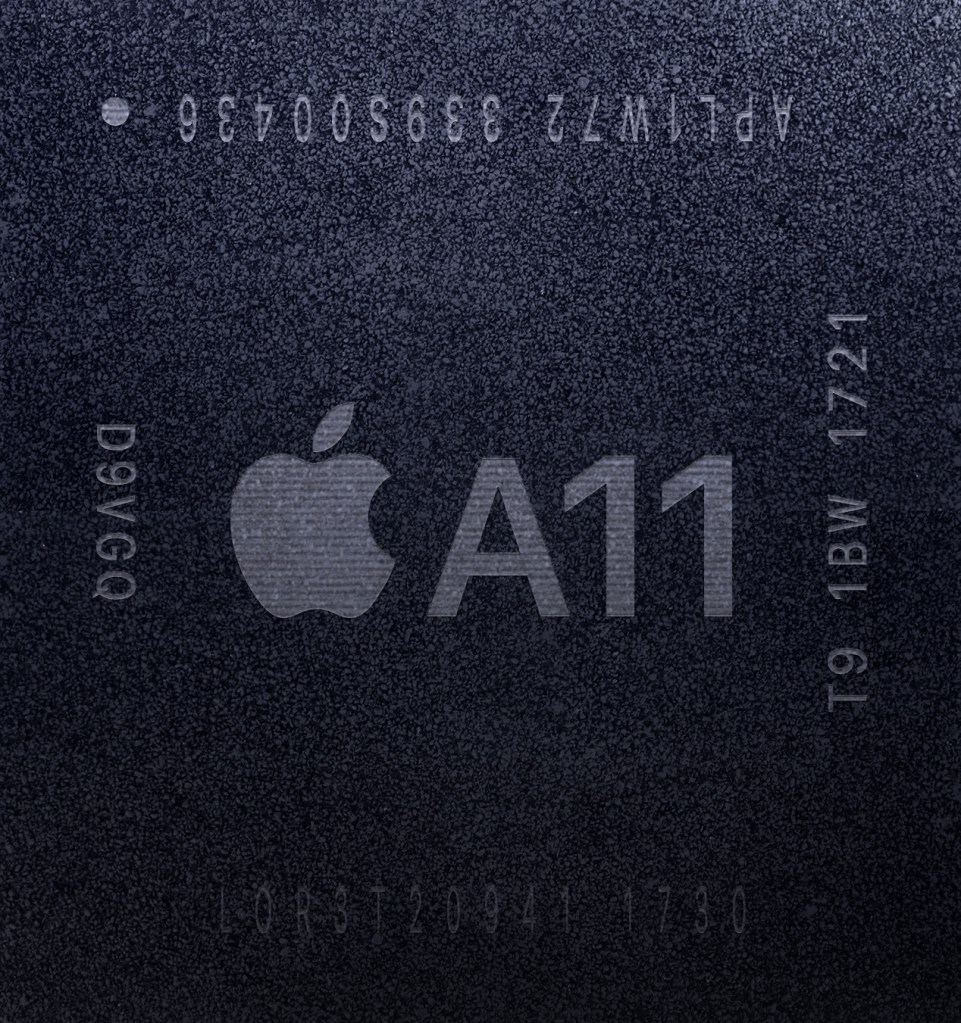
The neural accelerator did not begin with the 2026 laptop sale. Apple placed a dedicated Neural Engine in the A11 Bionic chip used in the 2017 iPhone X, where it supported on-device functions such as Face ID and machine-learning tasks. That early consumer use helps explain why the idea now feels familiar even when the terminology does not. (17)
Apple then brought its Neural Engine to the Mac with the M1 in 2020, giving the Mac a 16-core engine for machine-learning tasks long before “AI PC” became a retail label. Microsoft’s introduction of the Copilot+ PC category in May 2024 gave the Windows world a clear hardware threshold and a software banner around the same underlying direction. (18,19)
What is different in mid-2026 is scale. Qualcomm, AMD, Intel, and Apple all treat a dedicated AI accelerator as normal system hardware. Microsoft is reserving distinctive Windows experiences for NPU-equipped machines, updating local AI components through Windows Update, and expanding the programming tools for on-device models. The NPU has become less a feature to admire than a resource that software designers can assume exists. (7,9,10)
The computer is becoming an AI-shaped computer
The durable conclusion is not that people will stop thinking about computers and start thinking only about AI. A good computer will still need a comfortable keyboard, a trustworthy display, adequate memory, long battery life, reliable ports, repairability, security, and software that runs without surprises. Those practical qualities matter as much as ever.
But the computer’s basic architecture has changed. For decades, personal computing was described largely through the CPU, then increasingly through the GPU. The NPU is becoming the third permanent member of that description. Its first visible uses may seem modest: a better-looking video call, a caption, an easier search, a photo repair, a local summary. Over time, those small, private, low-latency actions are likely to become ordinary features of the workday.
For a reader beginning to wonder whether it is time to invest, the answer is yes when a replacement purchase is already on the horizon. Choose a genuine Copilot+ Windows PC or a current Apple-silicon Mac; favor 32GB of memory and 1TB of storage when the budget allows; choose Intel or AMD when compatibility is the priority; choose Snapdragon when its battery and portability advantages fit a verified software-and-peripheral list. The sale may end on Sunday. The architectural shift will not.
References
1. Best Buy. “HP OmniBook 3 – 14-inch 2K Touchscreen Laptop – Snapdragon X – 16GB Memory – 512GB SSD – Copilot+ PC.” https://www.bestbuy.com/product/hp-omnibook-3-14-2k-touchscreen-laptop-snapdragon-x-16gb-memory-512gb-ssd-copilot-pc-starlit-blue/JJGW3FLGVQ/sku/6667889
2. Best Buy. “HP OmniBook X Flip 2-in-1 – 14-inch 2K Touch-Screen Laptop – Intel Core Ultra 5 226V – 16GB Memory – 512GB SSD – Copilot+ PC.” https://www.bestbuy.com/product/hp-omnibook-x-flip-2-in-1-14-2k-touch-screen-laptop-intel-core-ultra-5-226v-16gb-memory-512gb-ssd-copilot-pc-atmospheric-blue/JJGQJRKGTJ/sku/6613868
3. Best Buy. “Acer Swift Go 16 AI – Copilot+ PC – 16-inch 2K OLED Touchscreen Laptop – Intel Core Ultra 7 355 – 32GB Memory – 1TB Storage.” https://www.bestbuy.com/product/acer-swift-go-16-ai-copilot-pc-16-2k-oled-touchscreen-laptop-intel-core-ultra-7-355-32gb-memory-1tb-storage-vapor-silver/JJ8V8HLFZL/sku/6671805
4. TechRadar. “The gorgeous Microsoft Surface Laptop is the perfect productivity machine for work and study – and it’s dropped $200 in Best Buy’s 4th of July sale.” July 2, 2026. https://www.techradar.com/pro/the-gorgeous-microsoft-surface-laptop-is-the-perfect-productivity-machine-for-work-and-study-and-its-dropped-usd200-in-best-buys-4th-of-july-sale
5. Microsoft. “Best AI PC Features to Look for in 2026: A Beginner’s Guide.” February 17, 2026. https://www.microsoft.com/en-us/windows/learning-center/best-ai-pc-features-to-look-for-in-2026-a-beginners-guide
6. Microsoft Learn. “Develop AI Applications for Copilot+ PCs.” Updated November 17, 2025. https://learn.microsoft.com/en-us/windows/ai/npu-devices/
7. Microsoft. “AI Tools, Features, and Assistance in Windows 11.” https://www.microsoft.com/en-us/windows/ai-features
8. Microsoft Learn. “Manage Recall for Windows Clients.” Updated December 10, 2025. https://learn.microsoft.com/en-us/windows/client-management/manage-recall
9. Microsoft Support. “History of AI Updates.” https://support.microsoft.com/en-us/topic/history-of-ai-updates-e9b59279-89a9-47a4-a26d-9950abc15a28
10. Microsoft Learn. “What Is Foundry Local?” Updated June 18, 2026. https://learn.microsoft.com/en-us/azure/foundry-local/what-is-foundry-local
11. Qualcomm. “New Snapdragon X2 Elite Extreme and Snapdragon X2 Elite Are the Fastest and Most Efficient Processors for Windows PCs.” September 24, 2025. https://www.qualcomm.com/news/releases/2025/09/new-snapdragon-x2-elite-extreme-and-snapdragon-x2-elite-are-the-
12. AMD. “AMD Expands AI Leadership Across Client, Graphics, and Gaming at CES 2026.” January 5, 2026. https://www.amd.com/en/newsroom/press-releases/2026-1-5-amd-expands-ai-leadership-across-client-graphics-.html
13. Intel Newsroom. “CES 2026: Intel Core Ultra Series 3 Debut as First Built on Intel 18A.” January 5, 2026. https://newsroom.intel.com/client-computing/ces-2026-intel-core-ultra-series-3-debut-first-built-on-intel-18a
14. Apple. “Apple Introduces the New MacBook Air with M5.” March 3, 2026. https://www.apple.com/newsroom/2026/03/apple-introduces-the-new-macbook-air-with-m5/
15. Best Buy. “ASUS ROG Flow Z13 13.4-inch 2.5K 180Hz Touch-Screen Gaming Laptop – Copilot+ PC – AMD Ryzen AI Max+ 395 – 64GB RAM – 1TB SSD.” https://www.bestbuy.com/product/asus-rog-flow-z13-13-4-2-5k-180hz-touch-screen-gaming-laptop-copilot-pc-amd-ryzen-ai-max-395-64gb-ram-1tb-ssd-off-black/JJGGLHG8X9/sku/12672674
16. Microsoft Support. “Windows Arm-Based PCs FAQ.” https://support.microsoft.com/en-us/windows/experience/platform-variants/windows-arm-based-pcs-faq
17. Apple. “The Future Is Here: iPhone X.” September 12, 2017. https://www.apple.com/newsroom/2017/09/the-future-is-here-iphone-x/
18. Apple. “Apple Unleashes M1.” November 10, 2020. https://www.apple.com/newsroom/2020/11/apple-unleashes-m1/
19. Microsoft. “Introducing Copilot+ PCs.” May 20, 2024. https://blogs.microsoft.com/blog/2024/05/20/introducing-copilot-pcs/
###
Filed under: Uncategorized |



























































































































































































































































































































































































































Leave a Reply