







By Jim Shimabukuro (assisted by ChatGPT)
Editor
Summary: A price-conscious guide for first-year students who need a reliable Windows machine to last through graduation.

The old $500 “student laptop” is becoming a false economy. These five machines start with enough memory, have useful ports, and leave at least one sensible path for growth—without pretending that every feature on a premium wish list belongs in a low-cost notebook. Prices and availability checked July 18, 2026
A first college laptop has to live two lives. By day it is a backpack computer: quick to wake, light enough for the walk across campus, and stubborn enough to survive a crowded lecture hall. At night it becomes the dorm-room desktop, feeding a larger monitor while juggling a browser full of research, a video call, a spreadsheet, and whatever specialist software the major suddenly demands.
That is why the cheapest sticker price is rarely the lowest cost. Memory prices and laptop prices rose sharply in 2026, and machines with only 8GB of RAM are especially poor four-year bets. Tom’s Guide reported average PC increases of 15 to 20 percent, with some models up 30 to 40 percent, and advised buyers to favor at least 16GB and, where possible, real memory slots.[1] For this guide, “low-cost” therefore means roughly $900 to $1,200 for a properly usable configuration, with one deliberately pricier exception whose parts can be replaced instead of throwing away the entire computer.
There is also an inconvenient truth about the requested specification: no genuinely inexpensive Windows laptop combines an internal 4K panel, a strong graphics processor, long battery life, plentiful ports, and wholesale do-it-yourself upgrading. In this price range, a good 1920×1200, 2560×1440, or 2880×1800 screen is normal. Every recommendation here can drive a 4K desk monitor, but none of the value configurations has a built-in 4K display. That is not a fatal compromise. On a 13- to 16-inch screen, 4K brings a modest visual gain while drawing more power and raising the replacement cost.
“AI-upgradeable” needs the same dose of realism. The neural processor and graphics chip in nearly every thin laptop are soldered to the main board. Microsoft defines a Copilot+ PC as having a neural processor rated at 40 trillion operations per second or more, plus at least 16GB of RAM and a 256GB drive.[2] A student can add memory or storage to some models, but cannot pop in a faster AI chip later. Only the Framework in this group permits a future main-board swap. The practical hedge is to buy enough conventional computing power now, keep storage and memory expandable when possible, and use campus or cloud computing for unusually large AI jobs.
The five at a glance
| Model and price | Best for | Core configuration | Built-in screen / external display | Upgrade outlook |
| 1. Lenovo ThinkPad E14 Gen 7 (AMD) $919.99 | Best overall value | Ryzen 7 250; 16GB; 512GB; Radeon 780M | 14-in. 1920×1200; up to three external displays, including 4K | Two RAM slots; two SSD slots; serviceable business design |
| 2. Samsung Galaxy Book6 16 $899.99 sale | General studies and a roomy screen | Core Ultra 7 Series 3; 16GB; 512GB; Intel graphics | 16-in. 1920×1200 touch; HDMI for a 4K monitor | RAM fixed; second SSD slot; excellent port mix |
| 3. Lenovo LOQ 15 (RTX 5060) $1,199.99 sale | Engineering, media, 3D and local AI | Ryzen 7 250; 16GB; 512GB; RTX 5060 8GB | 15.6-in. 1920×1080, 144Hz; HDMI up to 8K | Two RAM slots; second SSD slot; GPU fixed |
| 4. Acer Swift 16 AI $1,049–$1,124.99 | Battery life and the best built-in screen | Core Ultra 7 256V; 16GB; 1TB; Intel Arc | 16-in. 2880×1800 OLED; HDMI 2.1 / Thunderbolt 4 | RAM fixed; buy the capacity you will need |
| 5. Framework Laptop 13 (Ryzen AI 300) $849 DIY base; $1,049 ready-to-use base | Repairability and long ownership | Choose 16GB+ and 512GB+; Radeon graphics | 13.5-in. 2256×1504 or 2880×1920; modular display outputs | RAM, SSD, ports, battery, display and main board replaceable |
Retail prices are snapshots, not promises. Configure-to-order prices vary, and sale inventory may disappear. All five run Windows 11 in the configurations discussed below.
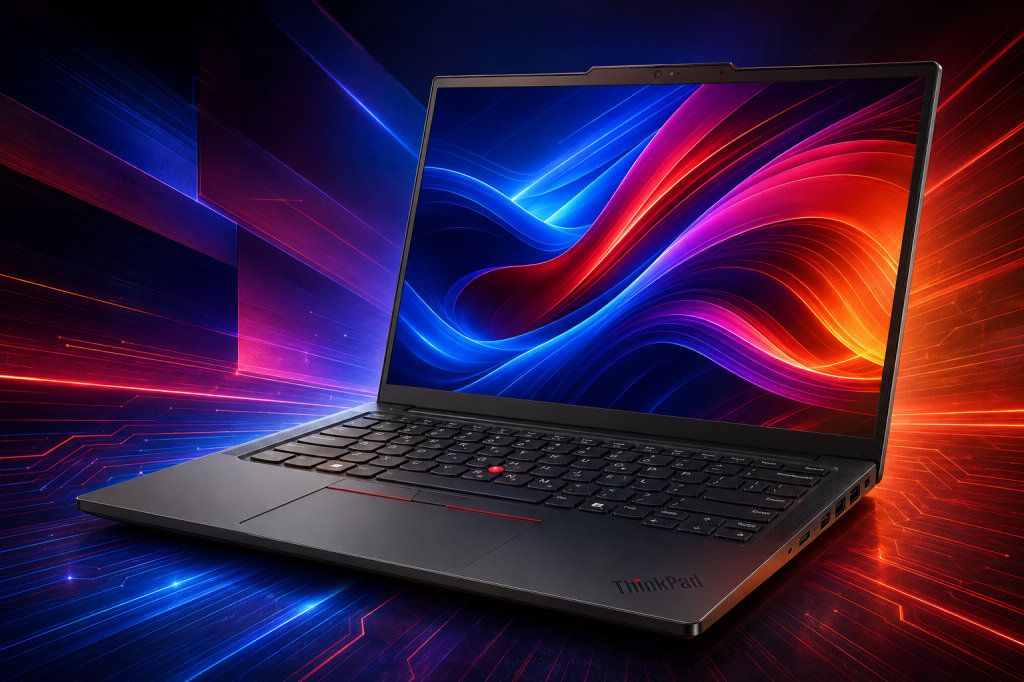
1. Lenovo ThinkPad E14 Gen 7 (AMD): the sensible default
BEST OVERALL VALUE
For most first-year students, this is the machine to beat. Best Buy listed the Ryzen 7 250 configuration with 16GB of memory and a 512GB solid-state drive at $919.99 when this article was prepared.[3] It looks less glamorous than the glossy consumer machines nearby, which is part of its appeal. The E-series ThinkPad is built as a working computer: a spill-resistant keyboard, a security-cable slot, sensible cooling, and a chassis that Lenovo says has passed MIL-STD-810H testing.[4] Those tests do not guarantee four years without trouble, but they are a more useful durability signal than a thin lid and an “AI” decal.
Inside, the Ryzen 7 250 has eight processor cores, competent Radeon 780M graphics, and a modest neural processor. It is fast enough for writing, statistics, coding, light photo or video work, and ordinary engineering homework. It is not a Copilot+ machine: Lenovo rates its neural processor at up to 16 trillion operations per second, below Microsoft’s 40-trillion threshold. That matters less than the two memory sockets. The E14 can be expanded beyond its starting 16GB, and it has two solid-state-drive positions, including an empty slot intended for owner expansion.[4] A student can begin modestly and add a larger drive or more memory in junior year.
The port selection is unusually complete for the price. There are two old-style USB-A sockets, two USB-C sockets—one of them fast USB4—HDMI, a headphone jack, and full-size Gigabit Ethernet. The machine can run three external displays in addition to its own; HDMI and ordinary USB-C reach 4K at 60Hz, while USB4 reaches still higher resolutions.[4] The included 65-watt USB-C charger is appropriately matched to this class of processor and is easy to replace.
The compromise is the built-in display. The common $919.99 configuration uses a 14-inch 1920×1200 panel, not 4K. Lenovo offers both basic-color and full-sRGB versions, so buyers who work with photography or design should confirm the 100-percent-sRGB option before ordering. For everyone else, the standard panel is serviceable, and an external 4K monitor can turn the E14 into a comfortable dorm-room workstation. If one laptop has to cover an undeclared major, an internship, and four years of ordinary wear, this is the safest buy in the group.
2. Samsung Galaxy Book6 16: the back-to-school bargain
BEST FOR GENERAL STUDIES AND A LARGE SCREEN
Samsung’s regular Galaxy Book6 16 is the rare 2026 model whose launch price has already met the discount rack. In mid-July, Best Buy cut the Core Ultra 7, 16GB, 512GB touch-screen configuration from $1,449.99 to $899.99, with the back-to-school sale scheduled to continue into early September while supplies last.[5] At that price, it gives a student a roomy screen, current-generation processor, and Copilot+ hardware for less than many 14-inch business notebooks.
The 16-inch touch display is 1920×1200—Samsung calls it WUXGA, while some retail copy loosely calls it “2K.” It is crisp enough for side-by-side documents and spreadsheets, though it is not the rich OLED panel found in the much more expensive Book6 Pro. The processor’s neural unit is rated at up to 49 trillion operations per second, and the standard model includes Windows 11 Home, Wi-Fi 6E, Bluetooth 5.4, a 61.2-watt-hour battery, and a 45-watt USB-C charger.[6] The integrated graphics are well suited to routine coursework and light creative work, not sustained 3D rendering.
Samsung has not shaved the sides bare. The 16-inch Book6 carries two USB-C ports, two USB-A ports, HDMI, microSD, a headphone jack, and full-size Ethernet.[6] That makes it easy to connect a monitor and several peripherals without buying a dock on day one. HDMI can handle the ordinary 4K display a student is likely to use, even though the laptop’s own panel is lower resolution.
Here is the reason it ranks second rather than first: its 16GB of memory is soldered and cannot be replaced. The 16-inch model does have a second M.2 drive slot, so storage can grow later.[5][6] For a humanities, business, education, nursing, or social-science student, 16GB should remain comfortable if the workload stays conventional. A student headed toward architecture, large data sets, virtual machines, or heavy local AI should buy 32GB elsewhere. This is a very good sale, but it is a fixed-memory computer.
3. Lenovo LOQ 15 with RTX 5060: the coursework heavyweight
BEST FOR ENGINEERING, MEDIA, 3D AND LOCAL AI
Some majors make ordinary thin laptops look cheap only until the first required rendering package arrives. For mechanical engineering, architecture, animation, game development, serious video work, or local AI experiments, a discrete graphics processor is not a luxury. The strongest value found in this search was the Lenovo LOQ 15AHP10 with a Ryzen 7 250, 16GB of memory, a 512GB drive, and Nvidia’s GeForce RTX 5060 with 8GB of its own graphics memory. Target listed it at $1,199.99, down from $1,399.99, on July 18.[7]
The RTX 5060 is the important part. Unlike the integrated graphics in the other four machines, it has its own high-speed memory and the computing hardware used by many engineering, 3D, video, and AI programs. Lenovo runs this version at up to 100 watts and supplies either a 170- or 245-watt adapter depending on the configuration and market.[8] The buyer should confirm that the advertised RTX 5060 unit includes the correct Lenovo adapter; this is a laptop meant to work while plugged in, not sip power from a phone charger.
The LOQ is also unusually open to practical upgrades. Two memory sockets allow expansion from the starting 16GB to 32GB in Lenovo’s supported configurations, and the second M.2 slot is explicitly reserved for owner expansion.[8] Three USB-A ports welcome fast external drives and lab devices; USB-C adds DisplayPort, HDMI 2.1 reaches 8K at 60Hz, and there is Gigabit Ethernet. Wi-Fi 6 and Bluetooth 5.3 cover wireless use. In a dorm room, it can feed a 4K monitor while keeping enough direct ports for storage, a controller, an audio interface, or a printer.
Portability is the bill that comes due. The LOQ starts at 5.29 pounds before its large power brick, and Lenovo’s own MobileMark estimate is only 4.4 hours for the common 60-watt-hour battery.[8] Its sale configuration also has a 1920×1080, 144Hz screen rather than 4K, although the panel covers the full sRGB color range. This is not the laptop for a student who roams campus without outlets. It is the right low-cost answer when the department’s software list names an Nvidia GPU or several gigabytes of dedicated graphics memory.
4. Acer Swift 16 AI: the screen-and-battery specialist
BEST FOR LONG DAYS AND VISUAL COMFORT
The Acer Swift 16 AI is the most pleasant computer here to look at for hours. The configuration to seek pairs an Intel Core Ultra 7 256V with 16GB of memory, a 1TB drive, and a 16-inch 2880×1800 OLED display. In PCWorld’s July 2026 buying guide, it sold for $1,049 at Walmart and $1,124.99 at Best Buy; the review praised its sturdy build, sharp OLED screen, keyboard, and battery life, and named it the best college laptop.[9]
That 2.8K OLED panel is still shy of 4K, but it comes close without the usual battery penalty and is arguably the better notebook display. Text is crisp, black is truly black, and the 16:10 shape leaves useful vertical room for papers and code. The glossy surface can catch classroom lights. For a desk monitor, two Thunderbolt 4 ports and HDMI 2.1 provide ample 4K output, while two USB-A ports handle ordinary accessories. Wi-Fi 7 and Bluetooth 5.4 keep the wireless side current.
The Swift’s other advantage is freedom from outlet hunting. PCWorld measured about 17½ hours from the reviewed college configuration, a result that puts a full lecture day within reach without carrying the charger.[9] At roughly 3.4 pounds, it is also far easier to live with than the LOQ, despite having a similarly large screen.
The trade-off is long-term flexibility. Its memory is fixed at 16GB, so the sale configuration should be treated as a sealed system rather than an upgrade project. The Intel Arc graphics are fine for everyday creative work and occasional acceleration, but they do not replace an Nvidia GPU for courses that require CUDA or heavy 3D work. The Swift earns its place because a bright, sharp screen and exceptional battery life improve every hour of ordinary college use. It is the best choice here for the student who values those qualities more than a future RAM expansion.
5. Framework Laptop 13: the computer that can grow up
BEST FOR REPAIRABILITY AND LONG OWNERSHIP
Framework is the exception to almost every rule in this article, including the price rule. The Laptop 13 DIY Edition with an AMD Ryzen AI 5 340 starts at $849, and the ready-to-use version starts at $1,049—but the low DIY figure excludes memory, storage, Windows, and the plug-in port cards. A sensible Windows build with at least 16GB of RAM, a 512GB drive, four useful expansion cards, and the higher-resolution screen costs more. Price the exact bundle before comparing it with the finished laptops above.[10]
What the extra money buys is ownership. The memory sockets accept up to 96GB, the drive can be replaced, and the battery, keyboard, webcam, hinges, screen, wireless card, and individual port modules are sold separately. If future coursework needs a faster processor or neural engine, the main board can be replaced while the rest of the laptop stays in service. The current Ryzen AI 300 boards offer a neural processor rated up to 50 trillion operations per second, enough for Microsoft’s Copilot+ class.[10] This is the only honest version of an “AI-upgradeable” laptop in the group.
Framework’s expansion cards also solve the port problem in a different way. The student chooses four modules—USB-C, USB-A, HDMI, DisplayPort, Ethernet, microSD, or storage—and can swap them as needs change. The built-in display is either 2256×1504 or 2880×1920, not 4K; an HDMI or DisplayPort expansion card handles a 4K monitor. PCWorld calls the Laptop 13 its best upgradeable laptop, praising its keyboard and repairable design while warning about the high up-front cost and middling battery life.[9]
There are risks. Framework is a much smaller company than Lenovo, Samsung, or Acer, and its one-year standard warranty is short, although a three-year extension is available in some regions.[10] Integrated Radeon graphics will not satisfy every engineering department. Yet a careful owner can replace the part that breaks rather than the whole machine. For a technically curious student—or a family determined to avoid another complete laptop purchase after graduation—that may be the best bargain of all.
What “four-year reliable” really means
No reviewer or manufacturer can promise that a particular laptop will survive eight semesters. The useful predictors are less dramatic: a rigid chassis, replaceable wear parts, common chargers, adequate cooling, and a warranty that matches the risk. ThinkPad and Framework lead on serviceability. The Samsung and Acer ask the buyer to accept fixed memory in return for a slimmer body. The LOQ is easy to expand but heavy enough that daily carrying becomes its own durability test.
A student who cannot afford downtime should budget for a three- or four-year accidental-damage plan, especially if the machine will commute by bicycle, bus, or crowded backpack. Before paying for it, check whether the campus has authorized repair service and whether the warranty provides mail-in or on-site coverage. Keep school files synchronized to institutional cloud storage and make a separate backup. Repairability helps after a spill; a backup helps before it.
Battery care matters too. Heat and repeated full discharges age a battery faster than ordinary word processing. Use the maker’s battery-conservation setting when the laptop spends weeks on a dorm desk, keep vents clear, and do not run a gaming notebook on a bed or blanket. A replaceable battery is valuable, but treating the original well is cheaper.
The 4K question, answered plainly
If “4K resolution” means a 3840×2160 image on the laptop itself, none of these value configurations qualifies. That requirement pushes the purchase toward premium mobile workstations or OLED flagships, often above $1,500, and frequently toward models with soldered memory. It also shortens battery life. For a price-conscious first-year student, that is the wrong place to spend the budget.
If it means a sharp 4K workspace in the dorm or at home, all five qualify. A 27-inch 4K monitor bought later gives a far larger improvement for long papers, timelines, code, and photo work. The ThinkPad and LOQ make the cleanest multi-monitor desks because they combine HDMI, display-capable USB-C, and Ethernet. The Samsung offers HDMI and Ethernet without a dongle. The Acer has HDMI and Thunderbolt 4. Framework lets the owner choose HDMI or DisplayPort cards and change them later.
Use a cable rated for the intended resolution and refresh rate, and remember that a USB-C port must support video; the plug shape alone proves nothing. For most coursework, 4K at 60Hz is the sensible target. A faster refresh rate is pleasant but raises cable, monitor, and graphics demands.
The buying decision
Start with the academic department, not the advertisement. Ask for the exact software list and minimum graphics requirement. If it names Nvidia, CUDA, substantial dedicated video memory, or certified workstation graphics, choose the LOQ or increase the budget for a professional mobile workstation. If the work is papers, presentations, statistics, web development, and ordinary media editing, the ThinkPad, Samsung, Acer, or Framework will be the better daily companion.
For the largest number of price-conscious first-year students, the ThinkPad E14 Gen 7 is the recommendation. It is affordable, conventionally fast, unusually well connected, and easy to expand. The Galaxy Book6 is the better sale buy for a student who wants a large touch screen and knows 16GB will be enough. The LOQ is the least expensive serious graphics workstation in this group, with weight and battery penalties that should be accepted only when the coursework calls for it. The Acer is the quality-of-life choice: a beautiful screen, a light chassis, and the battery life to forget the charger. The Framework costs more when properly configured, but it is the only machine here designed to become a newer computer one part at a time.
Whatever the choice, do not buy a new 8GB Windows laptop in 2026 and expect it to feel generous in 2030. Begin with 16GB; prefer 32GB for technical majors, large data, video, or virtual machines. Start with 512GB of storage, or 1TB if course media will live locally. Buy the ports the student will actually use, not a pile of adapters that will be lost before midterms. The best low-cost laptop is not the one with the lowest checkout total. It is the one that reaches graduation without becoming the slowest and most frustrating object in the room.
References
[1] Tony Polanco, “Buying a laptop in 2026 is complicated—here’s a survival guide to help you make the best choice,” Tom’s Guide, April 19, 2026. https://www.tomsguide.com/computing/laptops/buying-a-laptop-in-2026-is-complicated-heres-a-survival-guide-to-help-you-make-the-best-choice
[2] Microsoft Windows, “AI PC Features in 2026: Beginner’s Guide,” 2026. https://www.microsoft.com/en-us/windows/learning-center/best-ai-pc-features-to-look-for-in-2026-a-beginners-guide
[3] Best Buy, “Lenovo ThinkPad” product listings, price accessed July 18, 2026. https://www.bestbuy.com/shop/lenovo%20thinkpad
[4] Lenovo, “ThinkPad E14 Gen 7 (AMD): Product Specifications Reference,” July 7, 2026. https://psref.lenovo.com/syspool/Sys/PDF/ThinkPad/ThinkPad_E14_Gen_7_AMD/ThinkPad_E14_Gen_7_AMD_Spec.PDF
[5] Alexander Cope, “This 16-inch laptop with an Intel Core Ultra 7 processor and vibrant 2K display is on sale just in time to help you crush homework and summer exams,” Windows Central, July 16, 2026. https://www.windowscentral.com/hardware/laptops/samsung-galaxy-book6-sale-july-2026
[6] Samsung Newsroom U.S., “Engineered for Perfection: Galaxy Book6 Delivers Advanced Performance and AI-Powered Productivity in a Sleek New Design,” January 5, 2026. https://news.samsung.com/us/engineered-perfection-galaxy-book6-delivers-advanced-performance-ai-powered-productivity-sleek-new-design
[7] Target, “Lenovo LOQ 15.6-inch FHD 144Hz AI-Powered Gaming Notebook, Ryzen 7 250, RTX 5060,” price accessed July 18, 2026. https://www.target.com/p/lenovo-loq-15-6-ips-lcd-fhd-144hz-ai-powered-gaming-notebook-amd-ryzen-7-250-16gb-ram-512gb-nvidia-geforce-rtx-5060-luna-grey/-/A-1007485003
[8] Lenovo, “LOQ 15AHP10: Product Specifications Reference,” July 10, 2026. https://psref.lenovo.com/syspool/Sys/PDF/LOQ/LOQ_15AHP10/LOQ_15AHP10_Spec.pdf
[9] PCWorld, “Best laptops 2026: Premium, budget, gaming, 2-in-1, and more,” accessed July 18, 2026. https://www.pcworld.com/article/436674/best-pc-laptops.html
[10] Framework Computer, “Framework Laptop 13 with AMD Ryzen AI 300 Series,” specifications and prices accessed July 18, 2026. https://frame.work/laptop13?tab=specs
Editorial note: Prices are U.S. retail prices and may change without notice. Configurations sold under the same model name can differ in screen, battery, wireless card, charger, memory, or storage. Match the retailer’s part number to the manufacturer specification before purchase.
###
Filed under: Uncategorized |

















































































































































































































































































































































































































































































































Leave a Reply